







Dynamics 365 Sales vs Traditional CRM: Which Approach Fits Your Sales Organisation?
The question is not which CRM has more features. It is how connected your sales process needs to be with the rest of the business — and for plenty of organisations, the honest answer is “not very”.
- CRM
- Abhishek Divekar
- Practical guide
- 14 min read
- 2026
Contents
Customer relationship management has moved well beyond maintaining contact details and tracking opportunities. Modern sales teams need visibility into leads, interactions, pipeline health, activities, forecasts, relationships and follow-ups — and increasingly they need the CRM to work with email, collaboration tools, ERP, reporting platforms, automation and AI.
That makes the choice between Dynamics 365 Sales and a standalone CRM more consequential than a feature comparison. The better question is not “which CRM has more features?” but:
How connected does our sales process need to be with the rest of the business?
For organisations with straightforward customer and pipeline requirements, a simpler standalone CRM may be entirely sufficient. Dynamics 365 Sales becomes compelling when sales has to operate as part of a broader Microsoft environment involving Microsoft 365, Power Platform, analytics, AI and downstream applications such as Finance, Supply Chain Management or Business Central.
01DefinitionWhat do we mean by a traditional CRM?
“Traditional CRM” here does not mean every non-Microsoft CRM is outdated. Many modern platforms offer sophisticated automation, analytics, AI and integrations. For this comparison it means a platform whose main responsibility is the sales and customer-relationship process itself: contact and account management, lead tracking, opportunity management, activities, pipeline visibility, basic workflow and sales reporting.
For many organisations that is exactly what is required. The difference only becomes significant when the CRM has to operate inside a broader business architecture.
02DefinitionWhat is Dynamics 365 Sales?
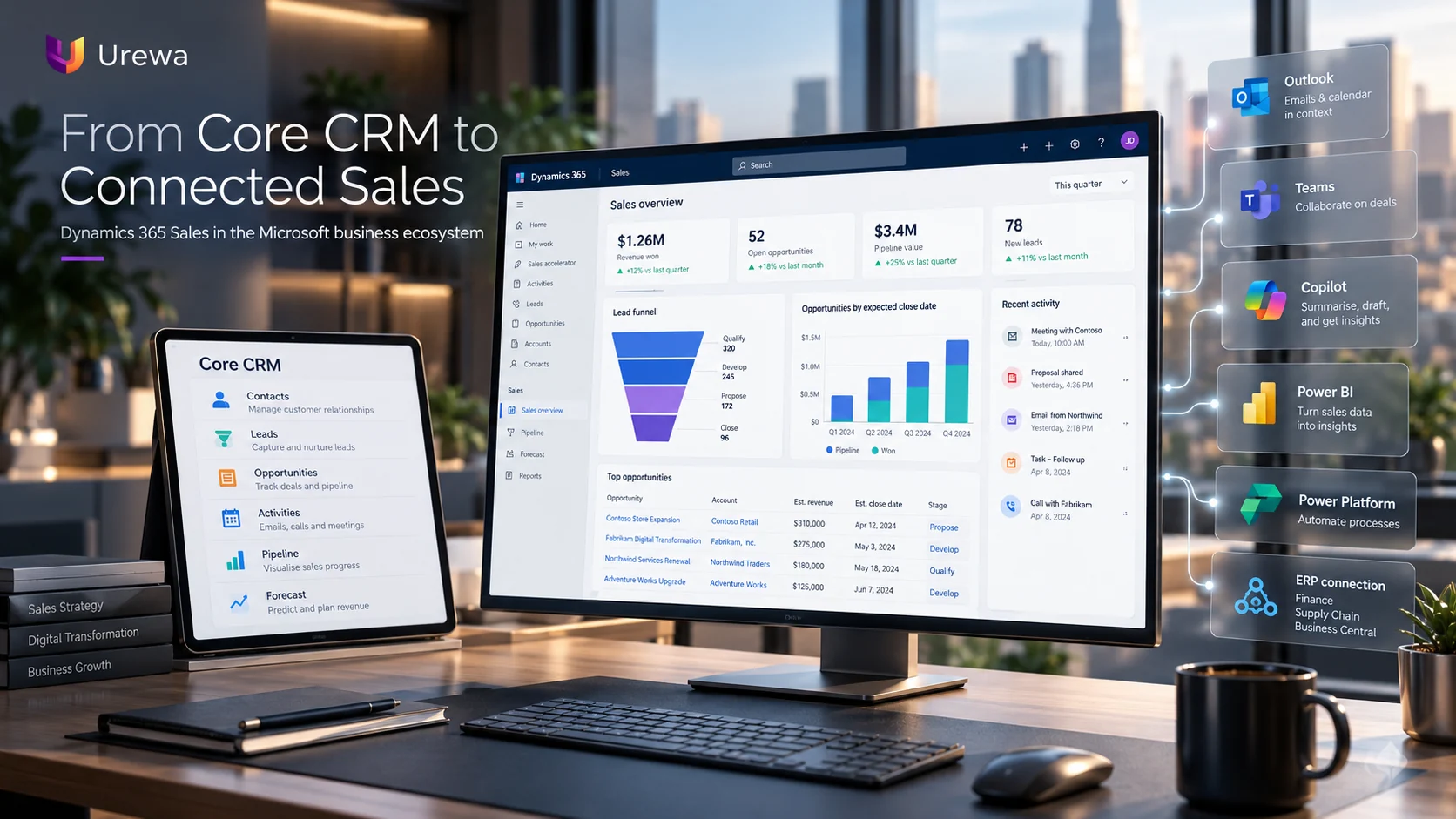
Microsoft Dynamics 365 Sales manages leads, accounts, contacts, opportunities, activities and pipelines. Its differentiator is not the CRM functionality itself — it is that the application sits inside Microsoft’s wider ecosystem alongside Microsoft 365, Teams, Power Platform, Power BI and Dataverse.
That lets an organisation think past:
Lead → Opportunity → Win
and towards the full commercial lifecycle:
Lead → Opportunity → Customer → Order → Delivery → Invoice → Payment → Ongoing relationship
03ComparisonDynamics 365 Sales vs traditional CRM: side by side
| Area | Standalone CRM | Dynamics 365 Sales |
|---|---|---|
| Accounts and contacts | Core capability | Core capability |
| Leads and opportunities | Core capability | Core capability |
| Sales pipeline | Core capability | Structured sales processes and pipeline |
| Workflow automation | Platform dependent | Power Automate and the Power Platform |
| Microsoft 365 | Integration depends on the product | Native ecosystem alignment |
| Collaboration | Platform dependent | Teams collaboration on records and deals |
| ERP connectivity | Usually requires integration work | Direct fit with the Dynamics 365 ecosystem |
| Analytics | Platform dependent | Built-in analytics plus Power BI |
| Extensibility | Platform dependent | Dataverse and Power Platform |
| AI | Platform dependent | Copilot and the Sales agent (licence dependent) |
| Relationship insights | Platform dependent | Relationship intelligence (Sales Premium) |
| Best fit | A straightforward CRM requirement | A connected Microsoft business environment |
There is no winner in every row. The right choice follows the organisation’s business architecture and sales-process requirements, not the length of the feature list.
04ProcessLead and opportunity management
A typical sales process runs lead → qualification → opportunity → proposal → negotiation → won or lost. Dynamics 365 Sales can structure that so information is captured consistently and sellers stop depending on spreadsheets, inboxes and personal reminders.
But implementing CRM is more than creating stages. The organisation has to define what the stages mean:
- What qualifies a lead?
- Which information must exist before an opportunity is created?
- What moves an opportunity from discovery to proposal?
- When is commercial approval required?
- What does “80% probability” actually mean here?
CRM delivers value when it reinforces an agreed sales methodology — not when it records whatever each seller decides to type.
05Beyond ValuePipeline management is about more than pipeline value
A sales manager does not only need to know that the pipeline is worth ₹10 crore. On its own that number says very little. The useful measures are:
| Measure | The question it answers |
|---|---|
| Pipeline coverage | Is there enough pipeline to hit the target? |
| Stage conversion | Where are opportunities being lost? |
| Sales velocity | How quickly are opportunities moving? |
| Stalled opportunities | Which deals have not progressed? |
| Forecast accuracy | How closely does forecast match actual? |
| Win/loss patterns | Why are deals won or lost? |

06Where Sellers WorkMicrosoft 365: connecting CRM with how sellers already work
For organisations already invested in Microsoft technology, the important differentiator is how the CRM works alongside the tools sellers use all day. Dynamics records can be shared into a Teams conversation, deal rooms can be created as collaboration spaces carrying CRM data and files, and Teams chat can be embedded directly in Dynamics.
Picture a significant opportunity. Dynamics holds the value, products, stakeholders, activities, expected close date and next actions. The team discusses it in Teams. Rather than CRM being an isolated database that sellers update because management insists, the customer information sits where the work already happens.
07Sales ContextAI and Copilot: understanding sales context faster
Microsoft provides Copilot capabilities in Dynamics 365 Sales that summarise leads, opportunities and accounts, highlight recent changes, help sellers prepare for meetings and answer questions in natural language. This is evolving into the Sales agent across Outlook, Teams and Dynamics.
The value is not that AI replaces the salesperson. Consider a manager returning to an opportunity after a week away: instead of reading through dozens of notes and activities, a summary surfaces recent changes, account context and what needs attention.
AI should help sellers reach context faster. It should not remove judgement from selling.
08SignalsRelationship intelligence: is the opportunity really healthy?
Pipeline value and probability do not tell the whole story. Imagine a ₹2 crore opportunity still showing a high probability of closing — while nobody has spoken to the customer in three weeks. That changes how you read the deal entirely.
Relationship intelligence covers relationship health and analytics, the sales assistant, who-knows-whom introductions and conversation intelligence, drawing on Dynamics data and, for richer scenarios, Exchange interaction data. It is a Sales Premium and Relationship Sales capability rather than something every Dynamics 365 Sales licence includes.
It shifts the management question from:
“How much is this opportunity worth?” to “How strong is the relationship behind it?”
09Power PlatformSales automation and Power Platform
Sellers should spend their time selling. Automation can handle task creation, follow-up reminders, notifications, approvals and defined workflows — a qualified lead creating follow-up activities, a large discount triggering approval, a stage change notifying management, a won opportunity starting a downstream process.
Use it carefully, though. Badly designed automation produces more notifications, more complexity and more admin, which is the problem it was meant to solve.
Automate repetitive activity. Preserve human judgement where it matters.
10The Real DifferenceCRM plus ERP: where Dynamics 365 becomes much more powerful
This is the part that matters most in practice. The sales process does not end when an opportunity is marked Won — the customer still expects the right product, availability, delivery, an invoice, payment processing and service.
The connected commercial lifecycle
- 01CRMLead captured and qualified
- 02CRMOpportunity managed through to commitment
- 03CRMQuotation or commercial agreement issued
- 04ERPCustomer and sales order created
- 05ERPInventory allocated and order fulfilled
- 06ERPInvoice raised
- 07ERPPayment received and reconciled
- 08CRMRelationship continues, informed by what actually happened
Dynamics 365 Sales forms the customer-facing part of that architecture while Finance, Supply Chain Management or Business Central handles the downstream operational and financial work. That is a different proposition from CRM as an isolated sales database.
What should sales actually see from ERP?
Connecting CRM and ERP does not mean copying every ERP transaction into CRM. A seller may benefit from seeing:
- Customer credit status
- Open sales orders
- Product availability
- Invoice status
- Outstanding balance
- Service history
But the organisation still has to decide:
- Which system owns that information?
- How frequently should it update?
- Should it be copied, or viewed live?
- Who is allowed to see it?
The goal is not maximum integration. It is useful integration.
We covered how to make those decisions in detail in what is ERP integration.
11Worked ExamplePractical example: from lead to revenue
Consider an engineering company receiving an enquiry from a new prospect, and follow it through every system that touches it:
- 01LeadProspect enters CRM through a referral, campaign or website enquiry
- 02QualificationRequirement, budget, timeline and decision-makers confirmed
- 03OpportunityRevenue, products, stakeholders, activities and close date managed
- 04CollaborationSales and internal teams work the deal in Teams alongside the record
- 05ProposalCommercial proposal developed, approvals obtained where required
- 06WonCustomer confirms the purchase
- 07ERPCustomer and commercial information flows into Finance, Supply Chain or Business Central
- 08FulfilmentOrder, delivery, invoice and payment handled downstream
- 09RelationshipSales retains the relationship, now informed by delivery reality

12Sales InsightReporting and sales insights
CRM reporting should help management decide something. The measures worth having:
| Sales question | Metric |
|---|---|
| Are we generating enough opportunities? | Pipeline coverage |
| Are leads becoming real opportunities? | Lead conversion rate |
| Where are deals slowing down? | Stage duration |
| Which opportunities need attention? | Stalled opportunities |
| How much will we close? | Forecast |
| How quickly are deals progressing? | Sales velocity |
| Why are we winning or losing? | Win/loss analysis |
| How active are the relationships? | Interaction and relationship insight |
The quality of those reports depends entirely on the underlying data. Which tool to build them in — Power BI, Excel or the application itself — is a separate decision we covered in Power BI vs Excel for Dynamics 365 reporting.
13The Hard PartCRM data quality and user adoption go together
The familiar CRM failure is management wanting better reporting while sellers treat CRM admin as a tax. The result is duplicate accounts, incomplete contacts, stale opportunity stages, unrealistic close dates, missing activities and opportunities left open long after they died. Eventually management stops trusting the reports — and then nobody maintains them.
So user experience and data governance have to be designed together. If capturing information is needlessly difficult, people will avoid it. If management never defines what matters, people will enter whatever they like.
A successful CRM needs both: good technology and disciplined sales process.
14The DecisionWhich approach fits your organisation?
When a simpler CRM is enough
Dynamics 365 Sales should not be chosen merely because it can do more. A simpler platform may be right when:
- The sales team is small
- The sales process is straightforward
- Integration requirements are limited
- Only contact and pipeline management is needed
- There is no broader Microsoft business-application estate to connect to
In that situation extra platform sophistication will not earn back the investment.
When Dynamics 365 Sales makes more sense
- Structured or complex sales processes
- A substantial Microsoft 365 environment already in place
- Real workflow automation requirements
- Integration with ERP or other business applications
- Advanced analytics and management reporting
- Broader Power Platform plans
- Relationship intelligence needs
- AI-assisted selling requirements
- An intention to extend the CRM architecture over time
Notice that none of those is company size. Process complexity and technology architecture decide this, not headcount.
How to evaluate it properly
| Area | What to establish |
|---|---|
| Sales process | How are leads qualified and opportunities actually managed today? |
| Users | Who needs the CRM, and how will each role genuinely use it? |
| Collaboration | How do sellers currently use email and Teams around a deal? |
| Automation | Which administrative activities can realistically be reduced? |
| Integration | What must connect to ERP, marketing, service or external applications? |
| Analytics | What does management need to understand about the pipeline? |
| AI | Which AI-assisted scenarios create value rather than novelty? |
| Growth | How might these requirements change over three to five years? |
Only once those are clear should product selection begin. We apply the same discipline during a Dynamics 365 implementation, where the sales process is designed before anything is configured.
Conclusion
The difference between Dynamics 365 Sales and a traditional CRM is not the number of features. A standalone CRM can be an excellent answer when an organisation primarily needs structured contact, lead and opportunity management. Dynamics 365 Sales becomes valuable when CRM has to be part of a wider environment spanning Microsoft 365, Teams, Power Platform, analytics, AI, relationship intelligence and the ERP applications behind the order.
The question is not which CRM is more powerful. It is which CRM architecture supports how your sales organisation works today — and where the business is going.
15QuestionsFrequently asked questions
What is Dynamics 365 Sales?
Dynamics 365 Sales is Microsoft's CRM application for managing accounts, contacts, leads, opportunities, customer interactions and sales processes, built on Dataverse and connected to the wider Microsoft business application ecosystem.
Is Dynamics 365 Sales better than other CRM systems?
Not universally. The right CRM depends on business requirements. Dynamics 365 Sales is particularly attractive to organisations that need strong Microsoft ecosystem connectivity, extensibility, automation and integration with wider business applications. A simpler platform can be the better answer for a straightforward sales process.
Does Dynamics 365 Sales integrate with Microsoft Teams?
Yes. Dynamics records can be shared into Teams conversations, deal rooms can be created as collaboration spaces with CRM data and files, and Teams chats can be embedded in Dynamics for real-time collaboration within the sales team.
Does Dynamics 365 Sales include AI?
It includes Copilot capabilities such as record summarisation, recent-change highlights and natural-language assistance. Note the licensing: Dynamics 365 Sales Enterprise, Premium and Relationship Sales licences include limited capability, while the full Sales agent functionality requires Microsoft 365 Copilot. Confirm what your licence actually covers before planning around it.
What is relationship intelligence?
A set of AI-guided selling capabilities covering relationship health and analytics, the sales assistant, who-knows-whom introductions and conversation intelligence. It is a Sales Premium and Relationship Sales capability rather than a feature of every Dynamics 365 Sales licence.
Can Dynamics 365 Sales integrate with ERP?
Yes. It can be connected to Dynamics 365 Finance, Supply Chain Management or Business Central so that a won opportunity flows into order, fulfilment, invoice and payment — with the architecture deciding what is copied, what is viewed live and which system owns each record.
Can a small company use Dynamics 365 Sales?
Yes, but capability alone should not drive the decision. A smaller organisation with straightforward requirements may find a simpler platform more practical and faster to adopt. Process complexity and technology architecture matter more than headcount.
Can Dynamics 365 Sales replace Excel-based opportunity tracking?
Yes — replacing individually maintained spreadsheets with a shared, structured pipeline is one of the most common reasons to implement CRM. The organisation still has to define its sales stages, data requirements and ownership first, or the spreadsheets simply reappear inside the CRM.
How long does a Dynamics 365 Sales implementation take?
It depends on process complexity, the number of users and roles, integrations with ERP and Microsoft 365, data migration from existing systems and how much sales-process definition is needed first. A short assessment of the sales process gives a credible timeline; a figure quoted before that is a guess.
Considering Dynamics 365 Sales?
Whether you are evaluating a new CRM, replacing spreadsheets, improving an existing sales process or connecting CRM with Dynamics 365 ERP, we can assess your lead and opportunity processes, pipeline design, CRM and ERP integration, Microsoft 365 and Power Platform automation, reporting, data migration, security and a realistic implementation roadmap.
Or email us directly: info@urewa.com