





Microsoft Dynamics 365 ERP Modernization: What to Assess Before You Migrate
Legacy ERP systems can become harder to maintain as businesses grow. Learn how to assess processes, customizations, data, integrations and migration options before planning your Dynamics 365 modernization.
- ERP Modernization
- Abhishek Divekar
- Practical guide
- 12 min read
- 2026
Contents
An ERP system can support a business for years, but the environment around it keeps changing. New legal entities, warehouses, sales channels, applications and reporting requirements can make the existing setup harder to coordinate. Over time, customizations accumulate, integrations become difficult to maintain and employees create spreadsheet workarounds.
Dynamics 365 ERP modernization gives organizations an opportunity to simplify that environment and build a more connected foundation for growth. The goal is not to migrate everything unchanged. It is to decide what the future environment should contain—and what no longer deserves to move forward.
01DefinitionWhat is ERP modernization?
ERP modernization is the process of improving an organization's enterprise resource planning environment by reviewing its technology, business processes, data, integrations and architecture.
A traditional upgrade asks how to move from the current version to the next one. Modernization asks what the future business and technology environment should look like. That distinction matters because legacy ERP systems can contain years of custom code, outdated reports, manual workarounds and interfaces that no longer serve a clear purpose.
A well-planned modernization program reduces unnecessary complexity, improves operational visibility and creates an environment that is easier to operate, integrate and evolve.
02Warning SignsWhen should a business consider modernization?
The age of an ERP system alone is not enough to justify replacement. The stronger signals are operational constraints, rising maintenance effort and limitations that affect business growth.
- Excessive manual work: Teams repeatedly export, re-enter or reconcile information across systems.
- Limited integration: Finance, CRM, banking, payroll, e-commerce and warehouse systems operate independently.
- Fragmented reporting: Leaders depend on manually consolidated spreadsheets to understand performance.
- Growing technical debt: Customizations and obsolete components make support and upgrades difficult.
- Scalability concerns: Adding entities, locations or business models requires disproportionate effort.
- Supportability risk: Existing software or infrastructure is becoming difficult or expensive to maintain.
Connect the decision to measurable business constraints instead of replacing technology simply because a newer platform exists.
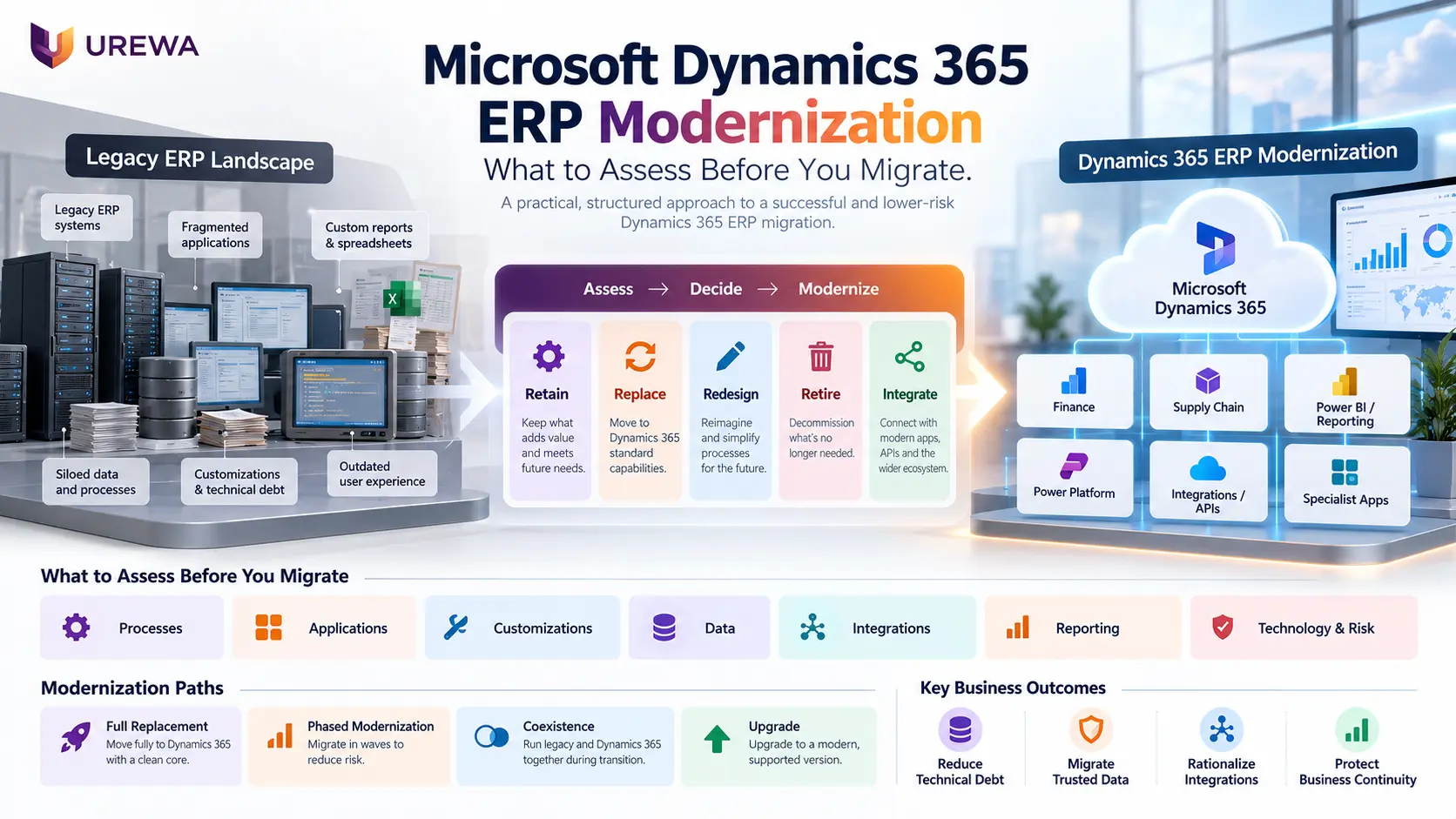
03Key DecisionsRetain, replace, redesign, retire or integrate
One of the most valuable modernization exercises is deciding what should happen to each existing capability.
- Retain: Keep an application or process that still creates business value, such as a specialist engineering system.
- Replace: Move a capability into Dynamics 365 when its standard functionality is a suitable fit.
- Redesign: Improve inefficient processes instead of reproducing the legacy approach.
- Retire: Remove obsolete reports, unused customizations and duplicate interfaces.
- Integrate: Keep specialist applications that remain useful and connect them appropriately to Dynamics 365.
The right question is not “How do we migrate everything?” It is “What deserves to exist in the future solution?”
04Migration PathsChoose the right Dynamics 365 modernization strategy
There is no single approach for every organization. The right strategy depends on the existing ERP, business complexity, risk tolerance and long-term goals.
- Full ERP replacement: Consider when the current environment is restrictive and substantial process change is required.
- Phased modernization: Transition by geography, legal entity, plant, business unit or function to manage risk and learn between releases.
- Application coexistence: Run Dynamics 365 alongside specialist applications that continue to provide value.
- Supported platform upgrade: Evaluate the current Microsoft upgrade path alongside required code, data and process work.
- Process-led reimplementation: Reconsider legacy configuration instead of transferring it unchanged.
For Dynamics AX 2012 environments, assess the specific source version, target application, custom code, data, integrations and validation requirements against current Microsoft guidance before choosing a path. Microsoft documents a data upgrade process from AX 2012, including its prerequisites and supported source versions, so confirm eligibility early.
Smaller organizations should also compare Dynamics 365 Finance and Business Central before settling on a target application. The goal is the right enterprise architecture—not necessarily making Dynamics 365 perform every function.
05Current StateStart with a modernization assessment
Before designing the future system, build a clear picture of the current environment. A useful assessment should cover:
- Business processes: Identify what works, where delays occur and what needs to change.
- Applications: Inventory current systems and decide which should remain, be replaced or integrated.
- Customizations: Separate essential business capabilities from obsolete or replaceable code.
- Data: Review duplication, quality, ownership, open transactions and reconciliation needs.
- Integrations: Document interfaces, dependencies, ownership and error-handling processes.
- Reporting: Identify reports that support decisions and remove redundant outputs.
- Technology and security: Evaluate access controls, performance, scalability and supportability.
- Organization: Understand the impact across legal entities, countries, plants, warehouses and teams.
The output should be a set of clear decisions and priorities—not simply a technical inventory.
06SimplificationReduce technical debt before migration
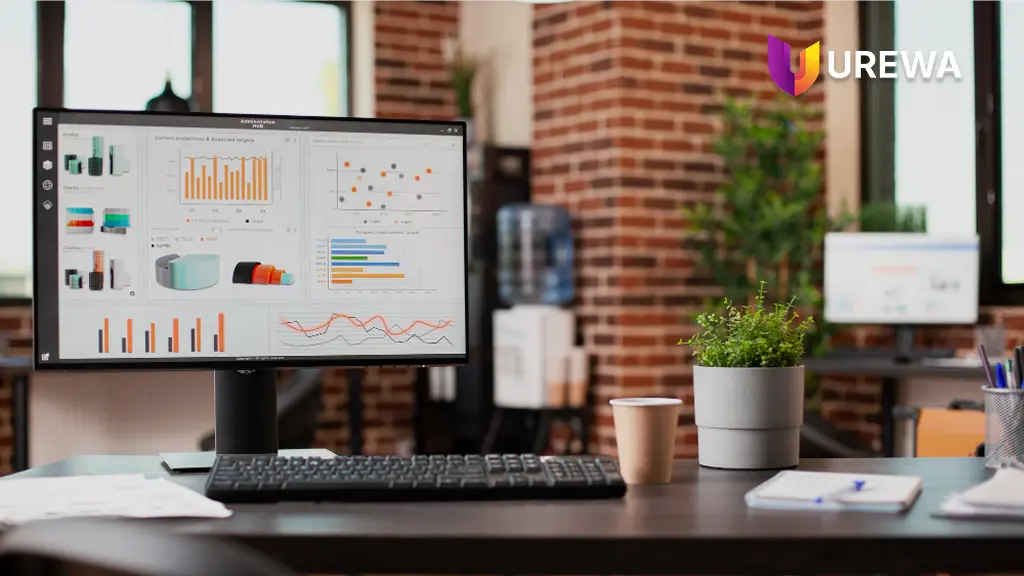
Legacy ERP systems often contain customizations created to solve requirements that may no longer exist. Some duplicate standard functionality available in modern applications; others may no longer be used.
Review each customization by asking whether it is still active, what business problem it solves today, whether standard functionality can meet the requirement and whether configuration or an extension is genuinely needed.
Urewa's Fit-to-Standard philosophy, described in our Dynamics 365 implementation approach, is straightforward: use standard functionality first, configure where possible and extend only when justified. ERP modernization should reduce technical debt—not move it to a newer platform.
07Trusted DataBuild a practical data migration strategy
Legacy databases can contain years of records, but not every historical record needs to move into the production ERP. A practical strategy distinguishes between:
- Master data: Customers, vendors, items, products and chart-of-accounts information.
- Open transactions: Outstanding purchase orders, sales orders, receivables, payables, inventory and projects.
- Opening balances: Agreed financial and operational positions at the transition date.
- Recent history: Records required for ongoing operations.
- Older history: Information that may be better served by archive or reporting solutions.
A disciplined migration typically follows this sequence:
Profile → Clean → Map → Transform → Trial Migration → Validate → Reconcile → Final Migration
Assign data owners and agree how balances will be reconciled and historical information accessed after go-live. Success is measured by trusted, usable information—not by the number of records moved. Our step-by-step guide to ERP data migration to Dynamics 365 covers scope, cleansing, mapping, mock migrations and reconciliation in detail.
08Connected SystemsRationalize integrations before rebuilding them
Legacy environments may connect CRM, banking, payroll, manufacturing, logistics, e-commerce, warehouse management and reporting systems. Rebuilding every interface can preserve unnecessary dependencies and increase complexity.
For each integration, confirm whether the external application is still required, who owns the data, whether Dynamics 365 can replace the capability, how frequently information must move and how errors will be handled. Sometimes the best modernization outcome is removing an interface entirely. Our guide to ERP integration with Dynamics 365 explains how to decide what should be real time, what can be batch and who owns each data set.
Where integration remains necessary, APIs, Azure integration services, Power Platform or other appropriate technologies may help create a more manageable architecture. The design should specify ownership, monitoring, security and reconciliation—not just data movement.
09Future StateDesign the target architecture before migration
The target architecture should define which Dynamics 365 applications support each business capability, which specialist applications remain, where master data is owned and how information moves across systems.
It should also cover reporting, security roles, customization boundaries, legal-entity structure, geographies, plants and warehouses. Dynamics 365 reporting, Power BI, financial reporting and external analytics may serve different needs, so avoid automatically reproducing every legacy report. We compare the options in Power BI vs Excel for Dynamics 365 reporting.
Microsoft's Dynamics 365 implementation guidance describes the Success by Design framework for identifying and addressing implementation risks across the lifecycle. Use current Microsoft guidance when validating product-specific architecture and upgrade decisions.
Cloud modernization is more than moving infrastructure. It also changes how teams manage updates, extensibility, integrations, security, analytics and ongoing operations. AI may add value, but clean data, efficient processes, maintainable architecture and appropriate controls remain the foundation.
10DeploymentPhased vs big-bang modernization
A big-bang approach moves multiple functions or entities together. It may reduce the duration of coexistence, but cutover complexity and operational risk can be higher.
A phased approach introduces the platform by business unit, geography, legal entity, plant or function. It can provide opportunities to learn between deployments, although temporary interfaces between old and new environments may be needed.
Base the decision on business dependencies, geographical complexity, data readiness, integration architecture, risk tolerance and the ability to operate multiple environments temporarily. There is no universal answer.
11CutoverProtect business continuity during transition
Before go-live, define the final migration process, system freeze, opening balances, inventory positions, open transactions, interface cutover, user activation and reconciliation activities.
Establish testing requirements, go/no-go criteria, contingency arrangements and clear responsibilities for resolving issues. Financial and operational processes must continue throughout the transition, so critical dependencies should be identified well before cutover.
12Risk ManagementFive major ERP modernization risks
- Process risk: Inefficient legacy workflows are recreated in the new environment.
- Data risk: Inaccurate, duplicated or incomplete records affect operations and reporting.
- Customization risk: Legacy technical debt is rebuilt rather than rationalized.
- Integration risk: External dependencies and exception handling are underestimated.
- Change risk: Employees are not prepared for new workflows and responsibilities.
Identify these risks during assessment and track them through design, testing, migration and deployment.
13Value & CostBuild the business case around value and total cost
Licensing alone cannot determine whether modernization is worthwhile. The existing environment also carries costs such as infrastructure, support, custom-code maintenance, manual processing, duplicate systems, reporting effort and operational risk.
The future environment introduces licensing, implementation, migration, integration, testing, training, support and organizational-change costs. Compare the current-state total cost and risk with the future-state cost and expected business value.
Potential benefits include reduced manual effort, better visibility, improved integration, lower technical debt and greater scalability. Define measurable KPIs before implementation and validate the outcomes rather than assuming benefits will appear automatically.
14Our ApproachUrewa's ERP modernization framework
- Assess Review the ERP, business processes, applications, integrations, data and technical constraints.
- Simplify Identify redundant reports, unnecessary customizations, inefficient workflows and interfaces that no longer add value.
- Architect Define the target Dynamics 365 solution, retained applications, integration design, reporting and security model.
- Migrate Prepare approved data, configurations and required extensions through controlled migration cycles.
- Validate Test end-to-end processes, integrations, security and performance, and reconcile financial and operational information.
- Transition Execute cutover, activate integrations and confirm business readiness.
- Optimize Stabilize the solution, review adoption, measure outcomes and improve processes after go-live.
This structured approach helps organizations make informed decisions before committing to major implementation activities. It leads into our Dynamics 365 implementation services, where the same decisions are carried through build, migration, testing and go-live.
15Manufacturing ExampleModernizing a global manufacturing ERP landscape
Consider a manufacturer operating a legacy ERP across multiple countries, alongside Salesforce for CRM, a specialist engineering application, banking interfaces and external plant systems.
The assessment may recommend replacing legacy finance and supply-chain processes with Dynamics 365 Finance and Dynamics 365 Supply Chain Management while retaining Salesforce and the engineering platform. CRM can be integrated for relevant customer and order information, banking interfaces can be redesigned for payments and reconciliation, and plant applications can remain connected where needed.
Meanwhile, email-based approvals can be redesigned as structured workflows, while unused reports and duplicate interfaces can be retired. The outcome is not simply a move from old ERP to new ERP; it is a transition from a fragmented landscape to a more connected and maintainable business architecture.
16Next StepsConclusion: modernize your ERP for the future
Microsoft Dynamics 365 ERP modernization gives organizations an opportunity to rethink processes, applications, data, integrations and technology architecture. Moving every legacy component unchanged can reproduce the very problems the organization wants to solve.
A structured assessment helps determine what should be retained, replaced, redesigned, retired or integrated. Combined with a clear target architecture, disciplined data migration and a realistic transition plan, this creates a stronger foundation for long-term business growth.
The most important question is not “How do we move everything?” It is “What should our future business environment look like, and what from the legacy world is actually worth taking with us?”
17QuestionsFrequently asked questions
What is Dynamics 365 ERP modernization?
Dynamics 365 ERP modernization is the process of improving or replacing an existing ERP environment using Microsoft Dynamics 365 while assessing business processes, data, integrations, customizations and surrounding applications.
Does ERP modernization require replacing every existing application?
No. Specialist CRM, manufacturing, engineering, payroll or logistics applications can remain when they continue to provide business value. They may be integrated with Dynamics 365 rather than replaced.
What happens to legacy ERP customizations?
Each customization should be assessed individually. Some can be replaced by standard Dynamics 365 functionality, some may need configuration or an extension, and others can be retired.
Should all historical ERP data be migrated?
Not necessarily. Organizations should identify the records required for current operations and decide whether older history can remain accessible through an archive or reporting solution.
Can Dynamics AX 2012 be upgraded to Dynamics 365?
The appropriate upgrade or migration path depends on the AX version, target application and existing environment. Assess custom code, data, integrations and validation requirements against current Microsoft guidance before selecting an approach.
Should ERP modernization be phased?
It depends on the organization's geographical footprint, integration dependencies, risk tolerance, data readiness and operational requirements. A phased rollout may reduce transition risk, while another organization may suit a broader cutover.
How is ERP modernization different from ERP implementation?
Implementation delivers a selected solution. Modernization starts earlier by assessing the current environment and deciding what the future architecture should contain, what should change and which legacy components should be removed.
What should an ERP modernization assessment cover?
It should cover business processes, applications, customizations, data quality, integrations, reporting, security, technical risks, organizational structure and future growth requirements.
Planning a Dynamics 365 ERP Modernization?
Assess your existing ERP, legacy customizations, data quality, integration dependencies and target architecture before making major implementation commitments.
Or email us directly: info@urewa.com